


Windows Products
- iPod / iPhone Tools
- DVD Cloner Tools
- DVD Creator Tools
- Video Converter Tools
- DVD Ripper Tools
- Audio Tools
- PDF Tools
- Suite Tools

Mac Products
3herosoft iPod to Computer Transfer
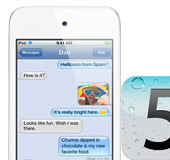

Update iPod touch version to iOS 5.O and you will find out iMessage app will be shown up on your iPod touch interface. Using the iPod touch iMessage you can easily deliver or receive any SMS files for free, such as SMS text, video, photo, contact, link, location, etc. Here how to get iPod iMessage files on computer local, and here I strongly recommend 3herosoft iPod to Computer Transfer which will help you easily transfer iMessage files from iPod touch to local computer.
 Transfer iMessage files from iPod touch to Mac local
-
Transfer iPod touch iMessage files (video, photo, contact, link, text, location)
-
Update iPod touch to iOS 7 and iTunes 11 supported




For iPod touch users, update to iOS 5.0 and iMessage app are built into iPod touch, you can deliver or receive any iMessage files such as SMS text, Photo, Video, Link, Location, Contact, etc. by iMessage. And those all iMessage files, how to backup them. 3herosoft iPod to Computer Transfer will help you easily transfer iMessage files from iPod to computer local without any loss.
 Step1: Connect iPhone to computer
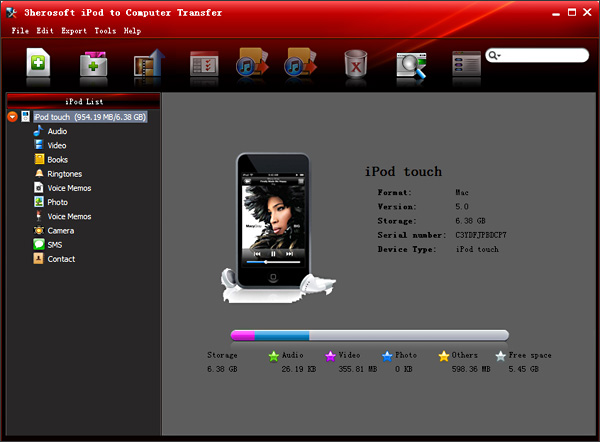
Free download 3herosoft iPod to Computer Transfer software, install and run it. Connect iPod to PC computer, and you will see all iPod touch item folders, such as Audio, Video, Books, Ringtone, playlists, Photo, Podcast, iTunes U, Purchase, Contact, SMS, etc. If you wanna try all functions offered by this iPod touch iMessage Transfer program, purchase and get a full version at a discounted price.
 Step2: Transfer iMessage from iPod touch to computer
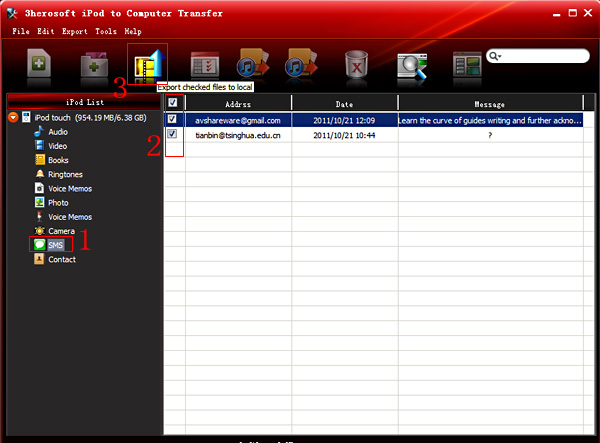
1) Open iMessage files by clicking "SMS" icon in the iPod touch list, you will see all iMessage you delivered or accepted are displayed on the inteface, such as SMS Text, Link, Contact, Video, Photo, etc.
2) Select and check all the iMessage files in the list, all SMS info include Name, Mobile, Email, Content, etc.
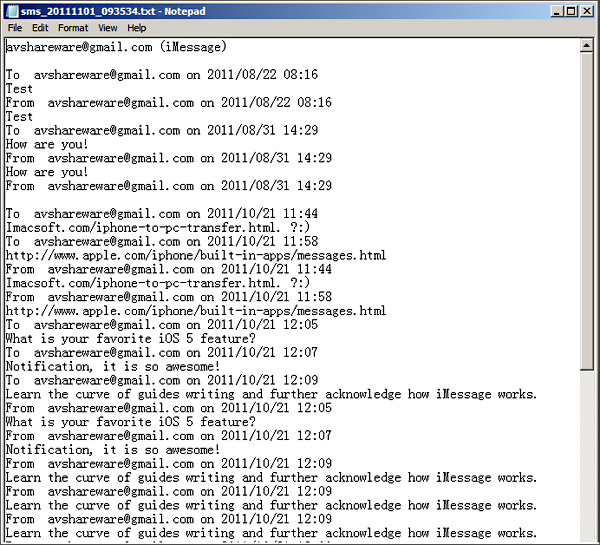
3) Turn to the top toolbar and press "Export checked files to local" button to start transferring iPod touch iMessage files to PC local. Here there will be a dialog box pops up and you can choose a target folder to save the iMessage files from iPod touch. Press "Save" button in the box and in a minutes, all iMessage has been exported from iPod touch to PC local.

|
Hot Tags: |
||||
 Buy 3herosoft iPod to Computer Transfer $25.oo
 Download 3herosoft iPod to Computer Transfer 5.77MB
