


Windows Products
- iPod / iPhone Tools
- DVD Cloner Tools
- DVD Creator Tools
- Video Converter Tools
- DVD Ripper Tools
- Audio Tools
- PDF Tools
- Suite Tools

Mac Products
3herosoft iPod to Computer Transfer
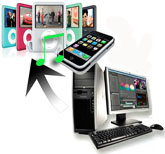

"When sync with iTunes, it's not a case. But if you transfer songs from your computer to iPod touch, it's a big case. iTunes won't let you sync iPod touch with your computer that when you ask for sync, auto-sync tells you "NO", so the auto-sync doesn't replace your iPod by desktop library leaving you lost the precious files on iPod. Once the iPod is connected, you can try to exit your iTunes and start to use 3herosoft iPod to Computer Transfer software to transfer music/video to iPod touch."
 Transfer songs from iPod to computer for backup
 -
Transfer songs from computer to iPod without iTunes
-
Sync iPod songs to iTunes( iTunes 11 supported now)




How to transfer music/video to iPod touch?
You are able to add songs to your iPod touch freely at high speed with this 3herosoft iPod to Computer Transfer software. It can help you easily copy and transfer songs to your iPod touch, the following guide below will direct you how to transfer songs to iPod without using iTunes.
Attention: iPod and iTunes have supported for many video formats, including MP4, M4V, MOV, MPEG-4, h264 and audio format such as MP3, WAV, AAC, Apple lossless, AIFF, Audible. If your video can not transfer successfully, make sure the video or audio format can be suitable for the iPod supported. If not, firstly you should use 3herosoft iPod Movie Converter software to convert video or audio to the right format for your file backup on computer.
 Step1: Install 3herosoft iPod to Computer Transfer and Run it
Launch this iPod transfer software and connect your iPod to your computer. Then you can see your iPod on the desktop -- an iPod icon with your iPod's name under it. Then familiarize yourself with its interface. All information about your iPod, such as type, capacity, version, serial number, and format, will be shown on the main interface.
Tip: All functions for iPod are applicable to iPhone as well except for the photo management.
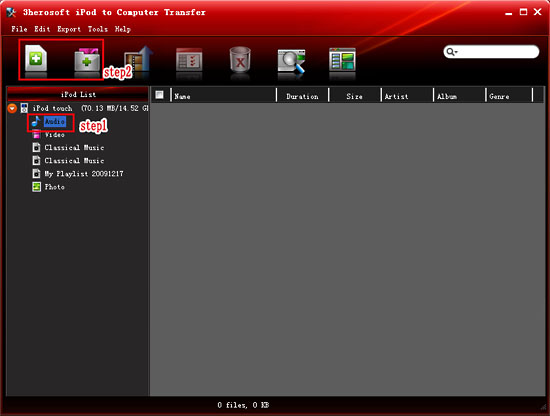
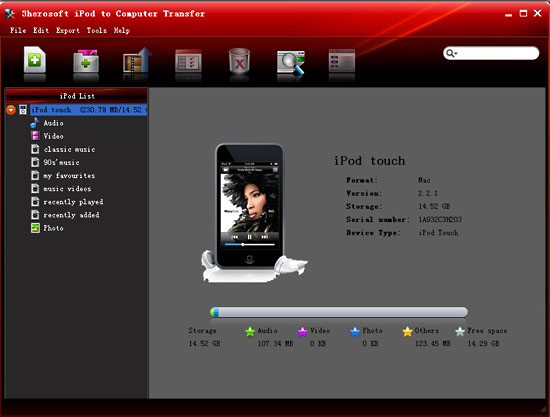 Step2: Select songs you want to add
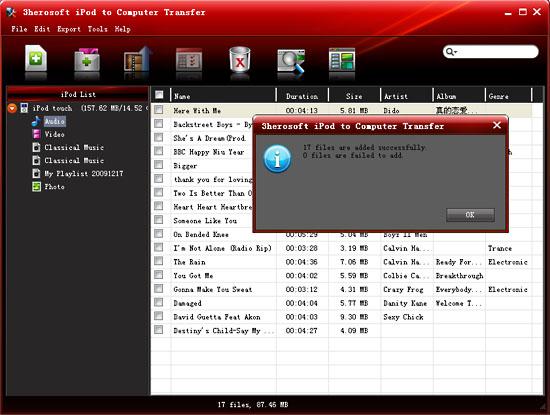
In this screen, you can click the "Add files to iPod / iPhone" button or click "File> Add Files to list" option, and a "local window" is poped up, please select and check the music files from your computer and then choose which you are likely to add. If you want to add all the files in a folder, please press " Add Folder to iPod / iPhone" button or choose "File > Add folder to list" option and then locate the folder and transfer all the files in it to iPod.
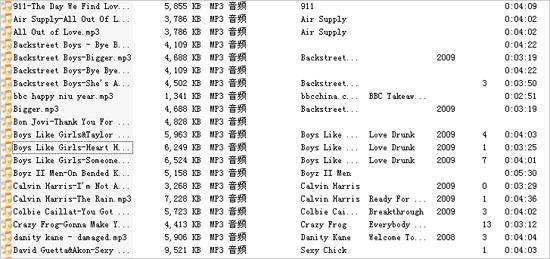 Step3: Add songs to iPod
When everything is done, then press the "OK" button in the dialogbox. After that, the selected songs are added to the iPod without iTunes right now! With this step, you can also copy all of files such as pictures, TV Shows, videos and podcasts etc. to iPod/iPhone.
|
Hot Tags: |
||||
 Buy 3herosoft iPod to Computer Transfer $25.oo
 Download 3herosoft iPod to Computer Transfer 5.77MB
