


Windows Products
- iPod / iPhone Tools
- DVD Cloner Tools
- DVD Creator Tools
- Video Converter Tools
- DVD Ripper Tools
- Audio Tools
- PDF Tools
- Suite Tools

Mac Products
3herosoft iPhone Call list to Computer Transfer
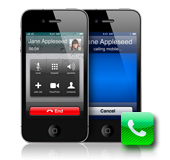

The best way to copy iPhone call list to computer for recovering some important call records. Copy iPhone call list to computer with 3herosoft iPhone Call List to Computer Transfer. We will offer you a best solution on how to copy iPhone call list to computer. And even this software can help you add music/video to iPhone, transfer music/video from iPhone to computer, iPhone to iTunes library. Free download this iPhone call list to computer transfer and have a try.
 Copy iPhone call list to computer for backup
-
Add music/video to iPhone and transfer music/video from iPhone to computer
-
Sync iPhone audio and video to iTunes library (iTunes 11 supported now)




Do you want to copy iPhone Call list from iPhone to computer for recovery? 3herosoft iPhone Call List to Computer Transfer is an easy to use utility designed to help you back up call list/audio/video on your iPhone, so that you can recover any lost or missing call records, songs, videos, and so on. It can even add music/video to iPhone without iTunes, or backup audio/video to computer easily. And even enable your iPhone as a removable hard disk. It supports iPad, iPod touch as well. See the tutorials step by step below:
 Step1: Connect iPhone to computer
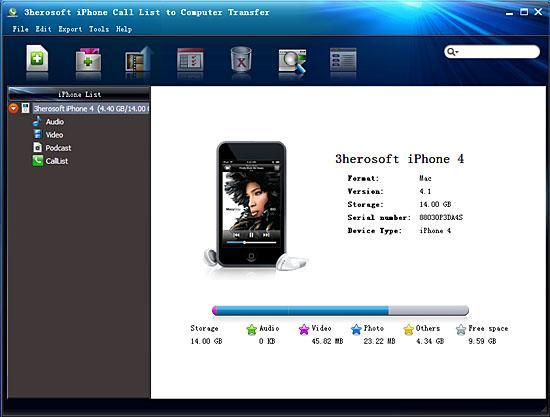
Download 3herosoft iPhone Call List to Computer Transfer, install and run it. An elegant and intuitive interface is shown in front of your eyes. Connect iPhone to computer. And you will see the right of interface will display iPhone device info such as Type, Capacity, Version, Serial Number and Format. And the left of panel you can see all the iPhone library folders (audio, video, podcast, call list) in the list.
 Step2: Copy iPhone call list to computer
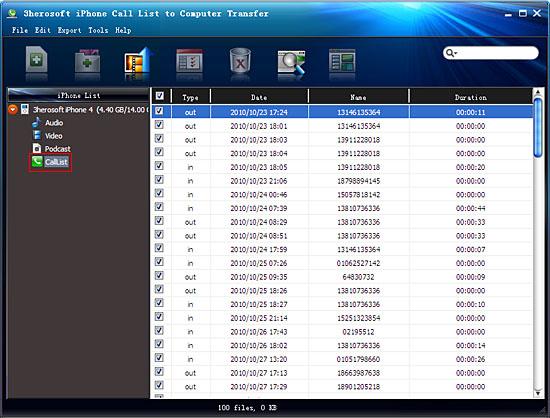
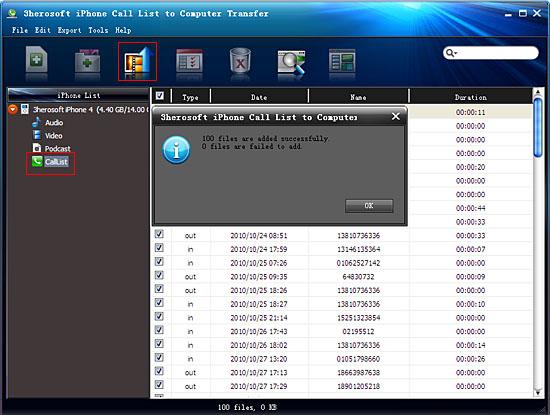
Click "Call list" icon to open call list folder in iPhone, while you can see a pop-up window box will remind you that the software is syncing to device. Wait for few minutes, all the call record list are appeared in the interface which consists of Type, Date, Name, and Duration. Select the call list you wanna copy to computer and press "Export checked files to local" button in the toolbar or choose "exported checked files to local" option in the top "export" menu. Before copying, choose a target destination to save the call list on your computer and then you can check all iPhone call list on computer soon.
|
Hot Tags: |
||||
 Buy 3herosoft iPhone Call list to Computer Transfer $9.98
 Download 3herosoft iPhone Call List to Computer Transfer 6.68MB
