


Windows Products
- iPod / iPhone Tools
- DVD Cloner Tools
- DVD Creator Tools
- Video Converter Tools
- DVD Ripper Tools
- Audio Tools
- PDF Tools
- Suite Tools

Mac Products
3herosoft iPhone SMS to Computer Transfer
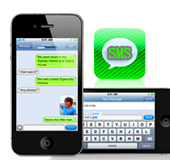

"I want to copy important iPhone SMS messages to computer for backup in case the sms box is full without recieving the new message in iPhone, but when I connect my iPhone to computer, I found that I can't copy SMS messages directly. Apple application can not be allowed to copy iPhone files to computer. I want to know is there useful third party software to copy iPhone SMS messages to computer?" Here we strongly recommend 3herosoft iPhone SMS to Computer Transfer, it lets you easily copy iPhone SMS to computer without any loss.
 Copy iPhone SMS to computer, backup iPhone SMS on computer
-
Add music/video to iPhone and transfer music/video from iPhone to computer
-
Sync iPhone audio and video to iTunes library (iTunes 11 supported now)




3herosoft iPhone SMS to Computer Transfer can help you copy iPhone SMS messages to computer with Text file format (.txt), which even keep your SMS in the high privacy, you can edit and print SMS directly on your computer. As the perfect iPhone SMS transfer, this iPhone SMS transfer can also allow you to add music/movie to iPhone, or copy iPhone music/movie to computer, backup them on iTunes library. See the following guides, learn how to copy iPhone SMS.
 Step1: Run the iPhone SMS Transfer
Download 3herosoft iPhone SMS to Computer Transfer, install and run it. Once you connect iPhone to compter, you will see all info about iPhone device in the main interface. And in the left panel, all iPhone library folder can also be displayed such as audio, video, podcast, SMS, etc. If you purchase this iPhone SMS transfer, lots of pratical functions await for you and without any limitation.
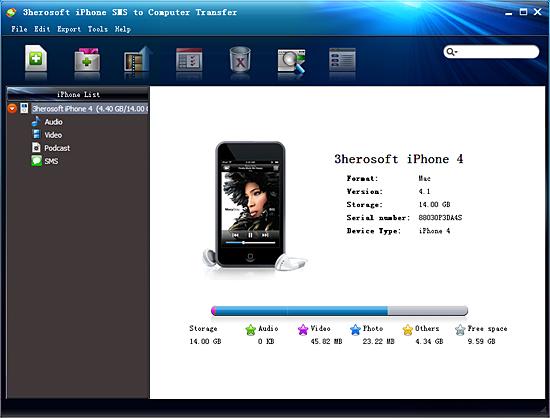 Step2: Copy iPhone SMS to computer
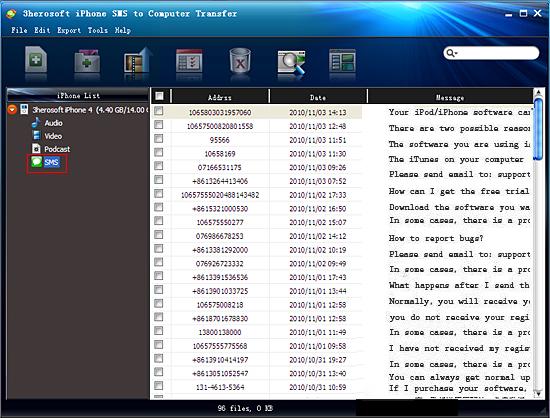
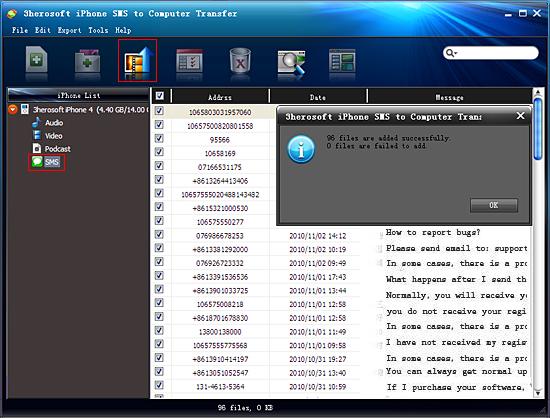
Open "SMS" library in iPhone list, while a small window box pops up and show you the sync process between software and iPhone. Several minutes later, all iPhone SMS info such as Address, Date, Message, etc. are shown in the interface. And then locate and check iPhone SMS you wanna copy to computer. Press "export checked files to local" button in the toolbar bar while choose a proper target folder to save SMS in the pop-up window box. Now breezily, iPhone SMS have already transferring to computer in very quick way.
|
Hot Tags: |
||||
 Buy 3herosoft iPhone SMS to Computer Transfer $9.98
 Download 3herosoft iPhone SMS to Computer Transfer 6.66MB
