


Windows Products
- iPod / iPhone Tools
- DVD Cloner Tools
- DVD Creator Tools
- Video Converter Tools
- DVD Ripper Tools
- Audio Tools
- PDF Tools
- Suite Tools

Mac Products
3herosoft iPhone Contact to Computer Transfer
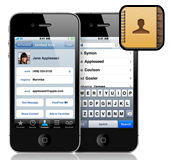

"What do I need to do to transfer my contacts from iPhone to computer? I was about to sync iPhone contacts with Google sync but then I complete that it was going to erase all my contacts on iPhone because I don’t have any contacts on my Gmail account. I don’t want to lose my contacts? Is there any program can tell me how to copy contacts from iPhone?" For this bad situation, we strongly recommend 3herosoft iPhone Contact to Computer Transfer which can fast transfer contacts from iPhone to computer without any loss.
 Transfer contacts from iPhone to computer
 -
Add music/video to iPhone and transfer iPhone filesto computer
-
Sync iPhone files to iTunes library (iTunes 10 supported now)




Here is easy-to-use software to solve your problems. 3herosoft iPhone Contact to Computer Transfer is powerful and useful software that can help you transfer contacts from iPhone to computer easily and quickly without losing any information. You can also use it to add music/movie to iPhone or transfer iPhone music/movie to computer, iPhone to iTunes library. It supports all types of iPhone like iPhone, iPhone 3G, iPhone 3GS, iPhone 4. The following guide will show you how to transfer contacts from iPhone to computer for backup.
 Step1: Connect iPhone to computer
Download 3herosoft iPhone Contact to Computer Transfer, install and run it. Once you connect iPhone to computer, you will see all info about iPhone device such as Type, Capacity, Version, Serial Number and Format are shown in the main interface. If you purchase this iPhone contact transfer, lots of practical functions await for you and without any limitation.
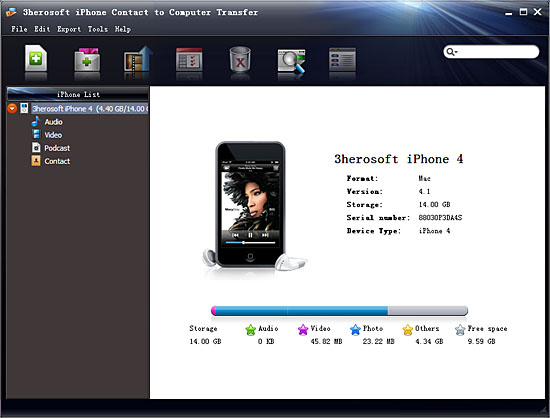 Step2: Transfer contacts from iPhone to computer
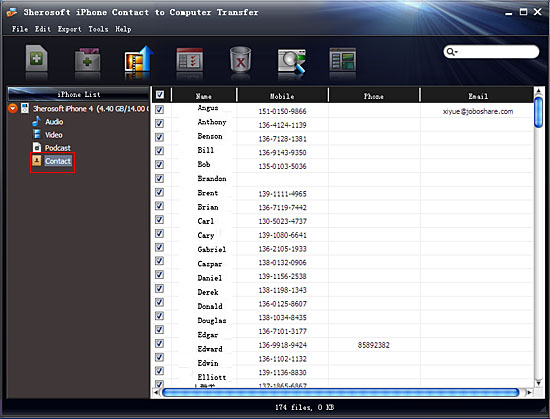
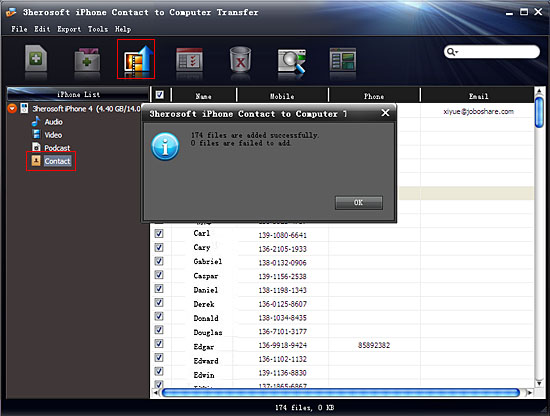
Open "Contact" library in iPhone list, while you can see the sync process between software and iPhone. Several minutes later, all iPhone contact info are shown in the interface, you can see the contact info including Name, Mobile, Phone, Email,etc. And then select contacts you wanna transfer from iPhone to computer, press "export checked files to local" button in the toolbar bar while choose a proper target folder to save contacts in the pop-up window box. Now breezily, iPhone contacts have already transferring to computer for you checking and looking through.
|
Hot Tags: |
||||
 Buy 3herosoft iPhone Contact to Computer Transfer $9.98
 Download 3herosoft iPhone Contact to Computer Transfer 6.63MB
