


Windows Products
- iPod / iPhone Tools
- DVD Cloner Tools
- DVD Creator Tools
- Video Converter Tools
- DVD Ripper Tools
- Audio Tools
- PDF Tools
- Suite Tools

Mac Products
3herosoft iPhone to Computer Transfer
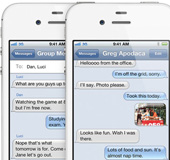

Update iPhone version to iOS 5.0, and iMessage app will be built in the iPhone SMS, and you will find out all iMessage files such as Video, Photo, Contact, Location, Voice memos, SMS text, Link, etc. are allowed to deliver and receive. For getting iPhone iMessage backup and you will try 3herosoft iPhone to Computer Transfer program and you will easily transfer iPhone iMessage files to computer and view them on your computer.
 Transfer iMessage files from iPhone to computer local.
-
Transfer iPhone iMessage files (video, photo, sms, link, voice memos, contact)
-
Update iPhone device to iOS 6 and iTunes 11 supported




3herosoft iPhone to Computer Transfer allows you to easily transfer iMessage files (Video, Photo, Contact, Location, SMS, Voice Memos, Link) from iPhone to computer local. And the following article will tell you how to easily get iPhone iMessage files on Mac local. Learn the solution and refer to the guide to use this iPhone iMessage Transfer program.
 Step1: Connect iPhone to computer
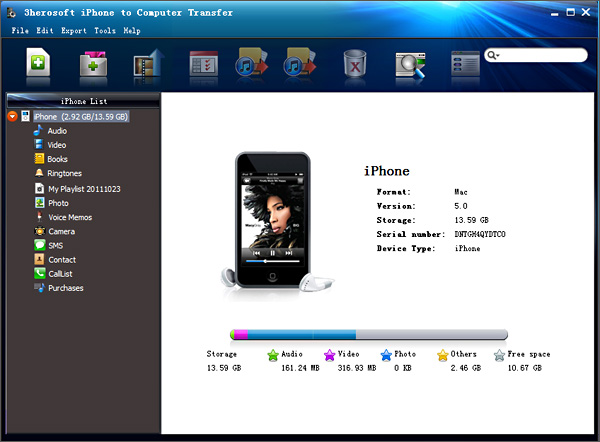
Free download 3herosoft iPhone to Computer Transfer software, install and run it. As long as you connect iPhone to PC computer, and you will see all iPhone item folders such as Audio, Video, Podcast, Ringtone, Books, playlist, Camera, SMS, Contact, Call List, Voice memos, iTunes U, Photo, Purchases, etc. are displayed on the interface. If you buy this iPhone iMessage Transfer program and soon get the full version one, more detailed functions await you so much.
 Step2: Transfer iMessage from iPhone to computer
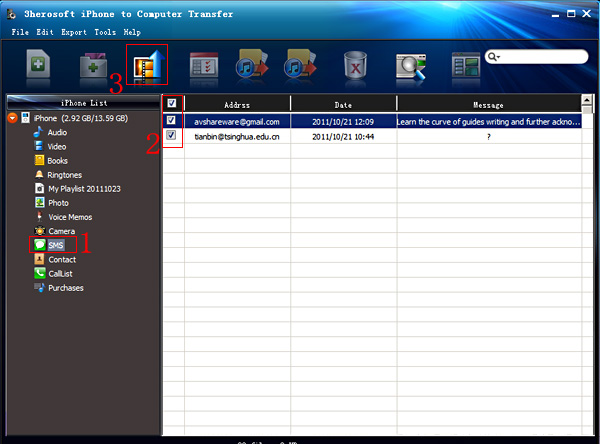
1) Click "SMS" icon in the iPhone list and you will see a small window box pops up and give you a hint on "Sync device to..." in the list. Several minutes later, all iMessage files such as SMS text, Video, Photo, Contact, Link, etc. are shown in the interface. In the right panel, all info about SMS such as Address, Date, Message, etc. are on show that check and locate exactly with convenience.
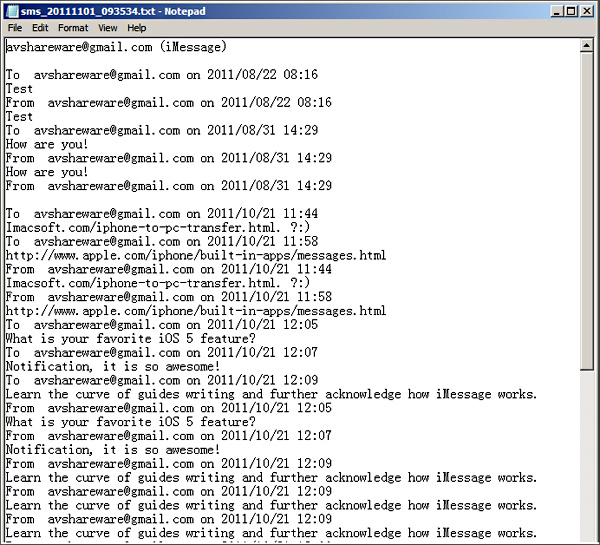
2) See all iMessage files in the list, select and check what you wanna transfer, turn to the top toolbar and press "Export checked files to local" button, then a dialog box will pop up, you should choose a target folder to save those transfer iMessage files on PC. When it is done, copying iMessage files from iPhone to PC local will be complete.
1) Add music/video files from computer to iPhone, just click "Add files to iPod/iPhone..." or "Add folder to iPod/iPhone" button. Choose "Add files to iPhone" option in the "File" menu bar.
2) Copy all iPhone items to local, such as Music, Video, Podcast, Photo, Book, Camera, Voice memos, Call list, Contact, iTunes U, Purchase, playlist, etc. Get those files from iPhone to PC local. Just open the item folder, check the files and press "export checked files to local" button to start iPhone to PC transferring.
3) Backup iPhone video/music/podcast/books/iTunes U/playlist/Photo files on iTunes library, and you sync iPhone video/music/podcast/books/iTunes U/playlist/Photo files to iPhone, iPad, iPod touch, etc. easily. With this iPhone iMessage Transfer program, click "Export the checked files to iTunes library..." button to save those iPhone files on iTunes library.
|
Hot Tags: |
||||

 Buy 3herosoft iPhone to Computer Transfer $20.oo
 Download 3herosoft iPhone to Computer Transfer 5.82MB
