


Windows Products
- iPod / iPhone Tools
- DVD Cloner Tools
- DVD Creator Tools
- Video Converter Tools
- DVD Ripper Tools
- Audio Tools
- PDF Tools
- Suite Tools

Mac Products
3herosoft iPhone Contact to Computer Transfer
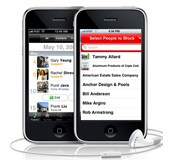

"Want to know how to transfer contacts from iPhone to iPhone? Whether you want to transfer all iPhone contacts from an old iPhone to a new iPhone or send one contact to a friend who also has an iPhone, this article will walk you through how to do it." And now I strongly recommend 3herosoft iPhone Contact to Computer Transfer, which will help you easily transfer iPhone contacts to iPhone without any loss. Copy iPhone contacts to another iPhone very easily. Free download and have a trial one.
 Transfer iPhone contact to iPhone easily
-
Add music/video to iPhone and transfer iPhone files to computer
-
Sync iPhone files to iTunes library (iTunes 10 supported now)




We have already written a guide on how to export iPhone contacts to another iPhone for use. Now let's see how we can transfer iPhone contact in as CSV file and you can open this .CSV file on Microsoft Outlook or you can sync this iPhone contacts file in any other email application or mobile device. Following the tutorial and backup iPhone contacts as .CSV to computer, you can view on Outlook and copy to another iPhone with 3herosoft iPhone Contact to Computer Transfer.
 Step1: Connect iPhone to computer
Download 3herosoft iPhone Contact to Computer Transfer, install and run it. Once you connect iPhone to computer, you will see all info about iPhone device such as Type, Capacity, Version, Serial Number and Format are shown in the main interface. If you purchase this iPhone contact transfer, lots of practical functions await for you and without any limitation.
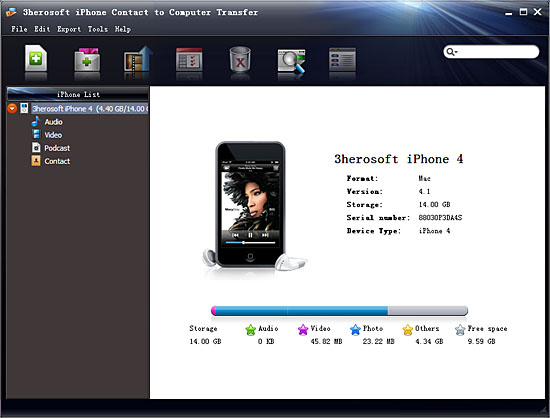 Step2: Transfer iPhone contacts as .csv files on Outlook
Open "Contact" library in iPhone list, a small window box will eject to show you the sync process between software and iPhone. Several minutes later, all iPhone contact info such as Name, Mobile, Phone, Email, etc. are shown in the interface. Select and check the iPhone contacts, then press "export checked files to local" button in the toolbar bar while choose a proper target folder to save contacts in the pop-up window box. Finally, press "Save as..." button to start exporting iPhone contacts as .CSV files on computer.
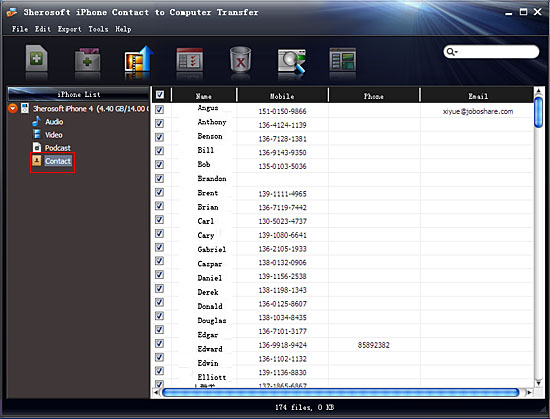
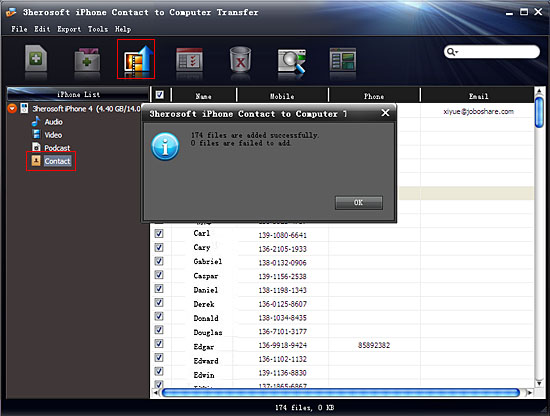 Step3: Transfer iPhone contact to iPhone
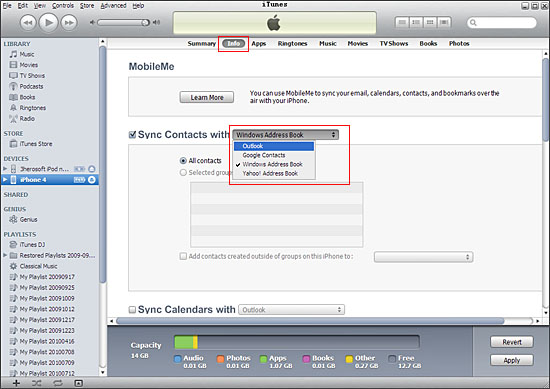
Find out the iPhone contacts files (.csv) on computer, and then you can download and run Microsoft Outlook, import .csv files. You can look through all iPhone contacts on Outlook. Moreover, connect another iPhone to computer and run iTunes, choose "Info" option and check "sync contacts with (outlook)" to ensure all iPhone contacts loaded into iTunes. Finally press "Apply" button to start iPhone contacts to iPhone sync soon.
|
Hot Tags: |
||||
 Buy 3herosoft iPhone Contact to Computer Transfer $9.98
 Download 3herosoft iPhone Contact to Computer Transfer 6.63MB
